Tools overview (demo)
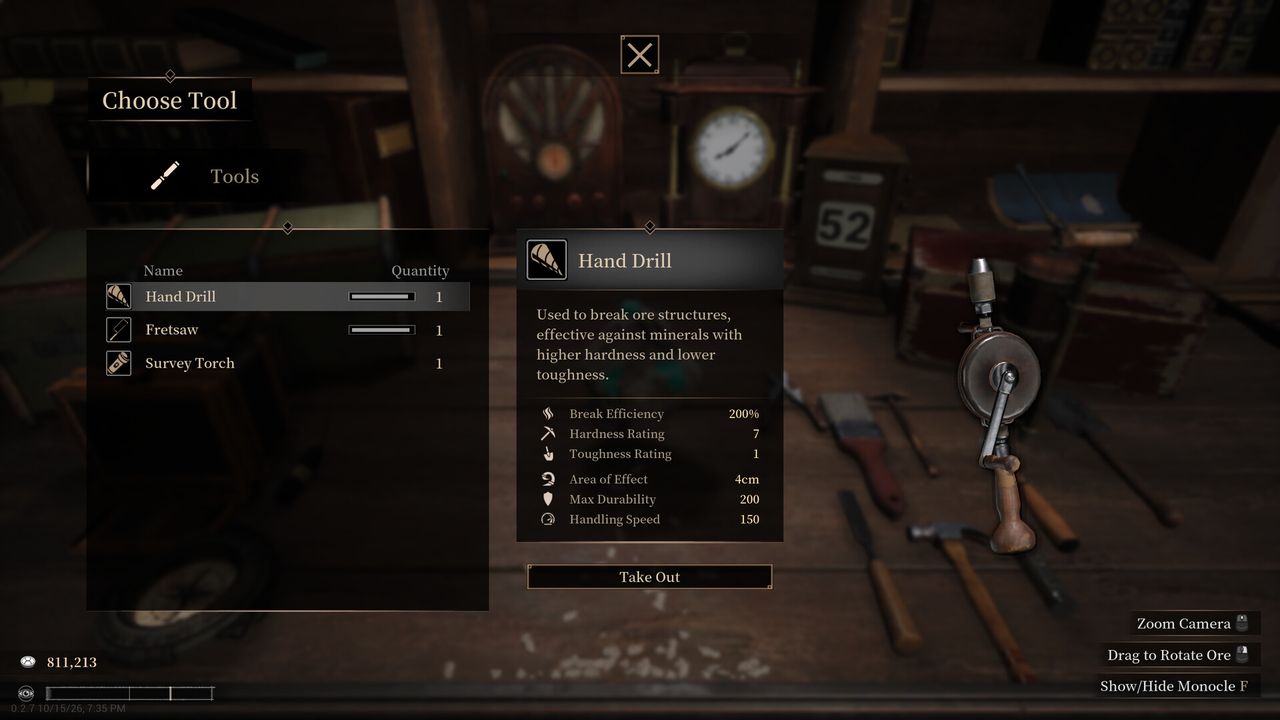
This page lists roles you can verify from the Steam store, official news, and Codex tutorial titles. Steam does not publish a complete public hardness chart per tool — we will not invent one. For breakage math players discuss, see gem cutting & breakage.
Processing levels (Q / E)
Demo patch 0.2.11 added a Codex tutorial entry for tool processing levels (Steam news). In practice players raise/lower a tool’s working level (often with Q / E) so the tool matches the material they are removing.
Match the surrounding rock, not the gem’s peak hardness. That single habit is the core of the Steam breakage thread and of the beginner loop.
Hardness and toughness (concept only)
Tools expose a hardness and/or toughness rating you can scale as the tool upgrades (player-confirmed on Steam Discussions). Patch 0.2.15 adds UI help: the monocle compares tool and ore hardness/toughness and shows efficiency; the coping saw also surfaces relevant hardness/efficiency info (0.2.15 patch notes).
Tool roles cited on Steam
- Magnifying glass / loupe / monocle — appraisal and (from 0.2.15) suitability/efficiency compare against the ore.
- Extraction set — store and Next Fest copy describe removing waste rock and impurities before faceting; Steam news for the public demo mentions reworked tools plus new ones such as a head-mounted loupe, explosives, and a wire saw (demo launch news).
- Hand drill, coping saw, sprayer, saw blades — named in 0.2.15 improvement/fix notes (interaction tweaks, efficiency UI). Treat them as extraction / cleanup roles; check Codex for unlock timing in your save.
- Faceting table — cut shape / estimates; 0.2.15 expands cut estimates and commission main-stone compare.
- Jewelry bench / display cabinets — setting finished gems and workshop Attraction (store + 0.2.11 ore Attraction note).
- Polishing wheel — players on the breakage thread say it is not in the demo build; soft 1–2 gems stay awkward until that changes. Labeled community claim.
Tutorials to open in-game
From official notes: 0.2.11 tutorial review entries include tool processing levels and separating gems. 0.2.15 expands tool and cabinet tutorials and adds in-game patch notes from the main menu. Prefer those over third-party spreadsheets.
Related
Breakage heuristics → gem cutting. Day-one order → beginner guide. Commission lines → commissions. Demo / full release status → release date.